Logo
Logo

PRODUCTS

TOOLS

Investigate with DNS History API : pivot across data with Reverse DNS API

All-in-one DNS intelligence: Live dns lookup, DNS record history, and Reverse DNS API to pivot from IPs, NS, CNAMEs, and more to connected domains.


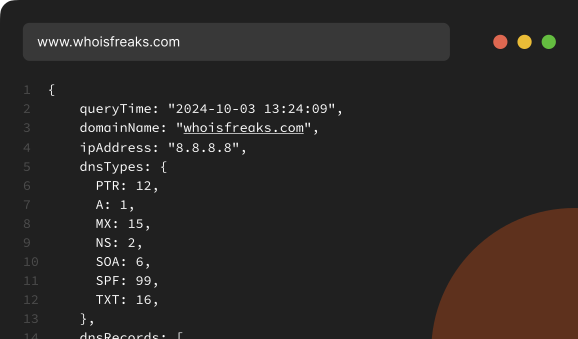
1[
2  {
3    "queryTime": "2024-10-03 13:24:09",
4    "domainName": "whoisfreaks.com",
5    "ipAddress": "8.8.8.8",
6    "dnsTypes": {
7      "PTR": 12,
8      "A": 1,
9      "MX": 15,
10      "NS": 2,
11      "SOA": 6,
12      "SPF": 99,
13      "TXT": 16
14    },
15    "dnsRecords": [
16      {
17        "name": "8.8.8.8.in-addr.arpa",
18        "type": 12,
19        "dnsType": "PTR",
20        "ttl": 14999,
21        "rawText": "8.8.8.8.in-addr.arpa.\t14999\tIN\tPTR\tdns.google.",
22        "rRsetType": 12,
23        "singleName": "dns.google."
24      },
25      {
26        "name": "whoisfreaks.com",
27        "type": 1,
28        "dnsType": "A",
29        "ttl": 3600,
30        "rawText": "whoisfreaks.com.\t3600\tIN\tA\t172.233.38.245",
31        "rRsetType": 1,
32        "address": "172.233.38.245"
33      },
34      {
35        "name": "whoisfreaks.com",
36        "type": 15,
37        "dnsType": "MX",
38        "ttl": 3600,
39        "rawText": "whoisfreaks.com.\t3600\tIN\tMX\t50 mx3.zoho.com.",
40        "rRsetType": 15,
41        "target": "mx3.zoho.com.",
42        "priority": 50
43      },
44      {
45        "name": "whoisfreaks.com",
46        "type": 15,
47        "dnsType": "MX",
48        "ttl": 3600,
49        "rawText": "whoisfreaks.com.\t3600\tIN\tMX\t10 mx.zoho.com.",
50        "rRsetType": 15,
51        "target": "mx.zoho.com.",
52        "priority": 10
53      },
54      {
55        "name": "whoisfreaks.com",
56        "type": 15,
57        "dnsType": "MX",
58        "ttl": 3600,
59        "rawText": "whoisfreaks.com.\t3600\tIN\tMX\t20 mx2.zoho.com.",
60        "rRsetType": 15,
61        "target": "mx2.zoho.com.",
62        "priority": 20
63      },
64      {
65        "name": "whoisfreaks.com",
66        "type": 2,
67        "dnsType": "NS",
68        "ttl": 3600,
69        "rawText": "whoisfreaks.com.\t3600\tIN\tNS\tdns7.cloudns.net.",
70        "rRsetType": 2,
71        "singleName": "dns7.cloudns.net."
72      },
73      {
74        "name": "whoisfreaks.com",
75        "type": 2,
76        "dnsType": "NS",
77        "ttl": 3600,
78        "rawText": "whoisfreaks.com.\t3600\tIN\tNS\tdns8.cloudns.net.",
79        "rRsetType": 2,
80        "singleName": "dns8.cloudns.net."
81      },
82      {
83        "name": "whoisfreaks.com",
84        "type": 2,
85        "dnsType": "NS",
86        "ttl": 3600,
87        "rawText": "whoisfreaks.com.\t3600\tIN\tNS\tdns3.cloudns.net.",
88        "rRsetType": 2,
89        "singleName": "dns3.cloudns.net."
90      },
91      {
92        "name": "whoisfreaks.com",
93        "type": 2,
94        "dnsType": "NS",
95        "ttl": 3600,
96        "rawText": "whoisfreaks.com.\t3600\tIN\tNS\tdns4.cloudns.net.",
97        "rRsetType": 2,
98        "singleName": "dns4.cloudns.net."
99      },
100      {
101        "name": "whoisfreaks.com",
102        "type": 6,
103        "dnsType": "SOA",
104        "ttl": 2209,
105        "rawText": "whoisfreaks.com.\t2209\tIN\tSOA\tdns3.cloudns.net. support.cloudns.net. 2024091202 7200 1800 1209600 3600",
106        "rRsetType": 6,
107        "admin": "support.cloudns.net.",
108        "host": "dns3.cloudns.net.",
109        "expire": 1209600,
110        "minimum": 3600,
111        "refresh": 7200,
112        "retry": 1800,
113        "serial": 2024091202
114      },
115      {
116        "name": "whoisfreaks.com",
117        "type": 99,
118        "dnsType": "SPF",
119        "ttl": 2209,
120        "rawText": "whoisfreaks.com.\t2209\tIN\tSPF\tv=spf1 mx include:spf.mtasv.net -all.",
121        "rRsetType": 99,
122        "strings": [
123          "v=spf1 mx include:spf.mtasv.net -all."
124        ]
125      },
126      {
127        "name": "whoisfreaks.com",
128        "type": 16,
129        "dnsType": "TXT",
130        "ttl": 2988,
131        "rawText": "whoisfreaks.com.\t2988\tIN\tTXT\tpaddle-verification=ba8cd073",
132        "rRsetType": 16,
133        "strings": [
134          "paddle-verification=ba8cd073"
135        ]
136      },
137      {
138        "name": "whoisfreaks.com",
139        "type": 16,
140        "dnsType": "TXT",
141        "ttl": 2988,
142        "rawText": "whoisfreaks.com.\t2988\tIN\tTXT\tgoogle-site-verification=ArWP3KvRFCLXdW6rnUfCYNBmI4LMNQjx9_XoCM0It1w",
143        "rRsetType": 16,
144        "strings": [
145          "google-site-verification=ArWP3KvRFCLXdW6rnUfCYNBmI4LMNQjx9_XoCM0It1w"
146        ]
147      },
148      {
149        "name": "whoisfreaks.com",
150        "type": 16,
151        "dnsType": "TXT",
152        "ttl": 2988,
153        "rawText": "whoisfreaks.com.\t2988\tIN\tTXT\tgoogle-site-verification=s0lTTBfSePwOO7LWlSND2ulZUfz7h-BE15H2llWem2A",
154        "rRsetType": 16,
155        "strings": [
156          "google-site-verification=s0lTTBfSePwOO7LWlSND2ulZUfz7h-BE15H2llWem2A"
157        ]
158      },
159      {
160        "name": "whoisfreaks.com",
161        "type": 16,
162        "dnsType": "TXT",
163        "ttl": 2988,
164        "rawText": "whoisfreaks.com.\t2988\tIN\tTXT\tzoho-verification=zb15766004.zmverify.zoho.com",
165        "rRsetType": 16,
166        "strings": [
167          "zoho-verification=zb15766004.zmverify.zoho.com"
168        ]
169      }
170    ]
171  }
172]
google.com
apple.com
stripe.com
apifreaks.com
pricing backgroundEclipse Top RightEclipse Top LeftEclipse WHOIS Stats
1528+
TLDs
690M+
Active Domains
877M+
Domains Tracked
3554M+
WHOIS Records
4931M+
Host Names
13B+
DNS Records

Our Products

DNSAPIs
Leverage our Live, Historical, and Reverse DNS APIs for A, AAAA, CNAME, MX, NS, TXT, SPF, and SOA records to take full control of your domain data.
Live DNS
Historical DNS
Reverse DNS
Live DNS Lookup API

Using the Live DNS Checker API, perform real-time lookups across key DNS records - including A, AAAA, CNAME, MX, NS, TXT/SPF, PTR, and SOA. Ideal for monitoring, troubleshooting, email authentication checks, and security investigations.
Product

Bulk DNSAPI
Monitor, Analyze, and Secure Domains and Networks with the Bulk DNS API.
Bulk DNS Lookup API

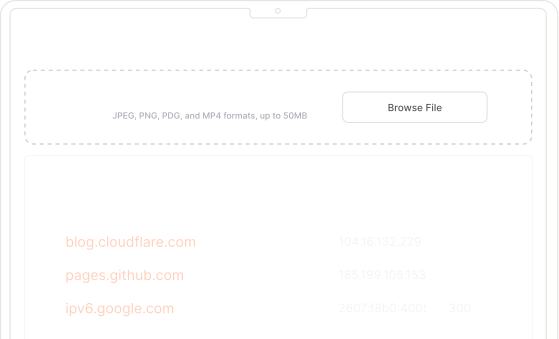
The Bulk DNS Lookup Tool lets you perform DNS lookups for multiple domains in a single query. Process up to 100 domains per request or upload files up to 3 million to retrieve live and historical A, AAAA, MX, NS, TXT, SPF, CNAME, and SOA records, delivered via email in JSON or CSV format.
monitoring

Features

What ourDNS APIsProvide

Integrate DNS APIs to Monitor, Secure, and Gain Real-Time Domain Insights.
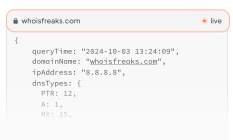
Feature icon

Real Time Data

Access real-time DNS data for any domain name using live DNS lookup. We fetch details directly from live servers, not cache.
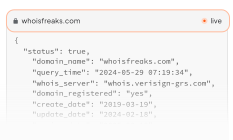
Feature icon

Historical DNS Records

Retrieve historical DNS records (A, AAAA, MX, and more) for a domain, read from database and returned in a paginated format.
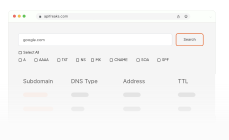
Feature icon

Record based lookup

Perform reverse DNS lookups to find specific DNS records, including A, AAAA, TXT, NS, MX, SOA, SPF, and CNAME records.
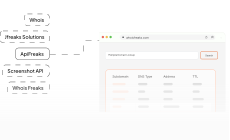
Feature icon

Bulk DNS Lookup

Perform bulk DNS lookups to retrieve records for multiple domains in a single request, This saves time and effort.
Feature icon

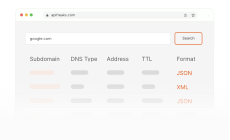
Supported Formats

Our service provides data in JSON and XML for seamless integration with any third party application.
Feature icon

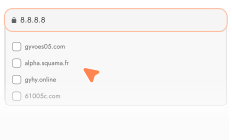
IP-to-Domains Lookup

Pivot from an IP to all associated domains for fast infrastructure mapping, attack patterns and threat investigation.
Feature icon

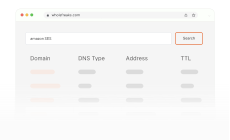
Email Provider Lookup

Identify domains using providers like Postmark or Amazon SES via mail-related DNS signals like MX and SPF records.
Feature icon

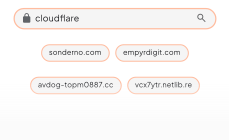
CDN Provider Lookup

Find domains that are using services like Cloudflare by pivoting on DNS infrastructure patterns such as nameservers.

Product

DNSDatabase
Utilize the Power of Passive DNS for Enhanced Network Security and Targeted Research
DNS Database

Our DNS database provides detailed information on domains, including A, AAAA, CNAME, MX, NS, SPF, SOA, and TXT records. You can download DNS database for specific record types or access our Active Domain Database for currently active domains. We also offer custom DNS databases tailored to your unique requirements.

monitoring

Use Cases

DNS in Action

Learn how professionals leverage DNS API for domain intelligence to mitigate threats
Feature icon

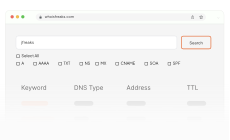
Network Diagnostics

Use Reverse DNS Lookup to retrieve historical NS, MX, TXT, SPF, SOA, and CNAME records for any given keyword.

Feature icon

Penetration Testing

Our DNS APIs help pentesters to map online presence and identify threats. Ideal for reconnaissance, asset discovery, and monitoring.
Feature icon

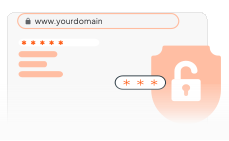
Threat Intelligence

DNS APIs track malware, DDoS, and suspicious traffic, pinpointing IPs behind spam, phishing, and hacks.
Feature icon

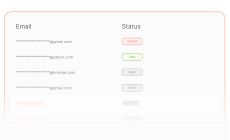
Email Verification

Reverse DNS lookup APIs validate email senders to prevent spam and ensure authenticity by pivoting on MX and SPF records.
Feature icon

Domain Research

DNS APIs provide historical DNS records to track domain changes, ownership, and infrastructure over time.

Feature icon

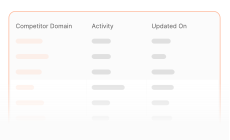
Competitive Analysis

Our DNS API reveals competitor's DNS footprint, providers, and related assets. It also highlights infrastructure changes over time.

Request demo background

Use DNS API to access live and historical DNS records, perform bulk lookups, validate emails, and monitor networks for security, compliance, and investigations.

pricing background

Documentation

Live DNS Lookup

The Live DNS API allows real-time lookups of DNS resource records such as A, AAAA, MX, NS, CNAME, SOA, TXT, and SPF, and also supports reverse IP lookups using PTR records by specifying the ipAddress parameter. The API uses the type parameter to look up specific DNS records, such as NS, or multiple records separated by commas (e.g., mx,ns). To retrieve all record types, simply set the type parameter to all.

Authorization

You can make authorized requests to our API by passing API key as a query parameter. To get your API key, login to our billing dashboard and get your API key! If your API key has been compromised, you can change it by clicking on reset button in billing dashboard.

Query Parameters

Required
  • apiKey
    Get your API key from our billing dashboard.
  • domainName
    The domainName for requested dns data.
  • ipAddress
    The ipAddress for requested DNS's PTR record. OR You can pass both domainName & ipAddress. At least one is required.
  • type
    Type of DNS record like all/comma separated list (A, AAAA, TXT, NS, MX, SOA, SPF)
Optional
  • format
    Two formats are available JSON, XML. If you don't specify the 'format' parameter, the default format will be JSON.

Request

shellnodejsjavapythonphprubyjscsharpgocswiftjquery
SHELL
Loading request...

Response

Loading response...

Status Codes

Success Codes
  • 200Request is processed successfully.
Failure Codes
  • 400Unable to process request.
  • 401Provided API key is invalid.
  • 401Provided API key is inactive.
  • 401Please buy a subscription plan or add api credits, then use this api key.
  • 401Your subscription is deactivated. Please buy new plan or add api credits for using whoisfreaks APIs.
  • 401Your subscription is deactivated due to much time payment failure. Please buy a new plan or add api credits for using whoisfreaks APIs.
  • 401Your account is deactivated.
  • 401You are blocked due to suspicious activity.
  • 404Entered Domain does not exist: ajfafja.com
  • 408Unable to fetch dns records. Please try after some time.
  • 412You have exceeded the limit of api plan requests and your subscription is canceled.
  • 413You have exceeded the limit of api credits requests [allowed_request_no]. Please upgrade your plan.
  • 413You have exceeded the limit of Surcharge Requests [allowed_surcharge_request_no]. Please upgrade your plan.
  • 429Please slow down. Your maximum request limit per minute is reached.
  • 500Internal Server error occurred.
  • 503Service is unavailable. Please try after some time.
  • 504Request is timed-out.

Historical DNS Lookup

The Historical DNS Lookup API queries a database containing billions of records to retrieve all historical DNS records for a specified domain name. Results are returned in a paginated format and can be delivered in either XML or JSON.

Authorization

You can make authorized requests to our API by passing API key as a query parameter. To get your API key, login to our billing dashboard and get your API key! If your API key has been compromised, you can change it by clicking on reset button in billing dashboard.

Query Parameters

Required
  • apiKey
    Get your API key from our billing dashboard.
  • domainName
    The domainName for requested dns data.
  • type
    Type of DNS record like all/comma separated list (A, MX, CNAME, NS, AAAA, TXT, SOA)
Optional
  • page
    Specify Page number to access specific page's data. If you don't pass 'page' parameter, default page is 1.
  • format
    Two formats are available JSON, XML. If you don't specify the 'format' parameter, the default format will be JSON.

Request

shellnodejsjavapythonphprubyjscsharpgocswiftjquery
SHELL
Loading request...

Response

Loading response...

Status Codes

Success Codes
  • 200Request is processed successfully.
Failure Codes
  • 400Unable to process request.
  • 401Provided API key is invalid.
  • 401Provided API key is inactive.
  • 401Please buy a subscription plan or add api credits, then use this api key.
  • 401Your subscription is deactivated. Please buy new plan or add api credits for using whoisfreaks APIs.
  • 401Your subscription is deactivated due to much time payment failure. Please buy a new plan or add api credits for using whoisfreaks APIs.
  • 401Your account is deactivated.
  • 401You are blocked due to suspicious activity.
  • 404No Record Found across domainName: whoisfreaks.com.
  • 408Unable to fetch dns records. Please try after some time.
  • 412You have exceeded the limit of api plan requests and your subscription is canceled.
  • 413You have exceeded the limit of api credits requests [allowed_request_no]. Please upgrade your plan.
  • 413You have exceeded the limit of Surcharge Requests [allowed_surcharge_request_no]. Please upgrade your plan.
  • 429Please slow down. Your maximum request limit per minute is reached.
  • 500Internal Server error occurred.
  • 503Service is unavailable. Please try after some time.
  • 504Request is timed-out.

Reverse DNS Lookup

The Reverse DNS API lets you search for IP addresses or CIDR ranges associated with A and AAAA records, as well as specific values for other record types within our DNS database. It also supports pattern matching using an asterisk (*) for records such as MX, NS, CNAME, SPF, TXT, and SOA by setting the exact parameter to false.

Authorization

You can make authorized requests to our API by passing API key as a query parameter. To get your API key, login to our billing dashboard and get your API key! If your API key has been compromised, you can change it by clicking on reset button in billing dashboard.

Query Parameters

Required
  • apiKey
    Get your API key from our billing dashboard.
  • value
    Value of DNS record like IP Address, MX or NS Server.
  • type
    You can use different types of DNS record, such as A or any one from the following list (MX, CNAME, NS, AAAA, TXT, SOA).
Optional
  • exact
    The 'exact' parameter can be either 'true' or 'false'.
  • page
    Specify Page number to access specific page's data. If you don't pass 'page' parameter, default page is 1.
  • format
    Two formats are available JSON, XML. If you don't specify the 'format' parameter, the default format will be JSON.

Request

shellnodejsjavapythonphprubyjscsharpgocswiftjquery
SHELL
Loading request...

Response

Loading response...

Status Codes

Success Codes
  • 200Request is processed successfully.
Failure Codes
  • 400Unable to process request.
  • 401Provided API key is invalid.
  • 401Provided API key is inactive.
  • 401Please buy a subscription plan or add api credits, then use this api key.
  • 401Your subscription is deactivated. Please buy new plan or add api credits for using whoisfreaks APIs.
  • 401Your subscription is deactivated due to much time payment failure. Please buy a new plan or add api credits for using whoisfreaks APIs.
  • 401Your account is deactivated.
  • 401You are blocked due to suspicious activity.
  • 404No Record Found across domainName: whoisfreaks.com.
  • 408Unable to fetch dns records. Please try after some time.
  • 412You have exceeded the limit of api plan requests and your subscription is canceled.
  • 413You have exceeded the limit of api credits requests [allowed_request_no]. Please upgrade your plan.
  • 413You have exceeded the limit of Surcharge Requests [allowed_surcharge_request_no]. Please upgrade your plan.
  • 429Please slow down. Your maximum request limit per minute is reached.
  • 500Internal Server error occurred.
  • 503Service is unavailable. Please try after some time.
  • 504Request is timed-out.

Bulk DNS Lookup

The Bulk DNS API offers two methods for large-scale lookups: you can send an API request with a body containing up to 100 domains and 100 IP addresses, with results returned directly in the response, or upload a file with up to 3 million entries, where each line contains either a domain or an IP address, and the records will be delivered to you via email.

Authorization

You can make authorized requests to our API by passing API key as a query parameter. To get your API key, login to our billing dashboard and get your API key! If your API key has been compromised, you can change it by clicking on reset button in billing dashboard.

Query Parameters

Required
  • apiKey
    Get your API key from our billing dashboard.
  • type
    Type of DNS record like all/comma separated list (A,AAAA,TXT,NS,MX,SOA,SPF).
Optional
  • format
    Two formats are available JSON, XML. If you don't specify the 'format' parameter, the default format will be JSON.

Request

shellnodejsjavapythonphprubyjscsharpgocswiftjquery
SHELL
Loading request...

Response

Loading response...

Status Codes

Success Codes
  • 200Request is processed successfully.
Failure Codes
  • 400Unable to process request.
  • 401Provided API key is invalid.
  • 401Provided API key is inactive.
  • 401Please buy a subscription plan or add api credits, then use this api key.
  • 401Your subscription is deactivated. Please buy new plan or add api credits for using whoisfreaks APIs.
  • 401Your subscription is deactivated due to much time payment failure. Please buy a new plan or add api credits for using whoisfreaks APIs.
  • 401Your account is deactivated.
  • 401You are blocked due to suspicious activity.
  • 408Unable to fetch dns records. Please try after some time.
  • 412You have exceeded the limit of api plan requests and your subscription is canceled.
  • 413You have exceeded the limit of api credits requests [allowed_request_no]. Please upgrade your plan.
  • 413You have exceeded the limit of Surcharge Requests [allowed_surcharge_request_no]. Please upgrade your plan.
  • 429Please slow down. Your maximum request limit per minute is reached.
  • 500Internal Server error occurred.
  • 503Service is unavailable. Please try after some time.
  • 504Request is timed-out.
FAQs
Enhance your apps with industry leading web scraping and crawling.
What is the DNS?
Which DNS record types are supported?
Are DNS record types case sensitive?
What is meant by Live Lookup endpoint and how much data latency does it offer?
What type of data do you provide in Historical API endpoint and how often is it updated?
How to perform Bulk DNS lookup?
What is the minimum number of domain names needed for bulk DNS lookup?
Which TLDs are supported by your system?
Do you have notification service when API credits are near to an end?
What happened if API credits have been utilized and my system is using whois API?
Do you charge credit on 4xx error status codes in response?
What is the number of free API credits available for new users, and are these credits rate-limited?
Do you have rate limiting on number of requests being made on your paid plans?
Do you provide any headers in API response regarding rate limiting?